


To register for MIUT®, every runner must provide their ITRA ID — a unique identification number assigned by the International Trail Running Association (ITRA).
If you’ve participated in any trail running events recognized by ITRA, you already have an ID! Here’s how to find it 👇
Step-by-Step Guide
1️⃣ Go to the official ITRA website:
Visit www.itra.run and click on “Runner search” in the top menu.

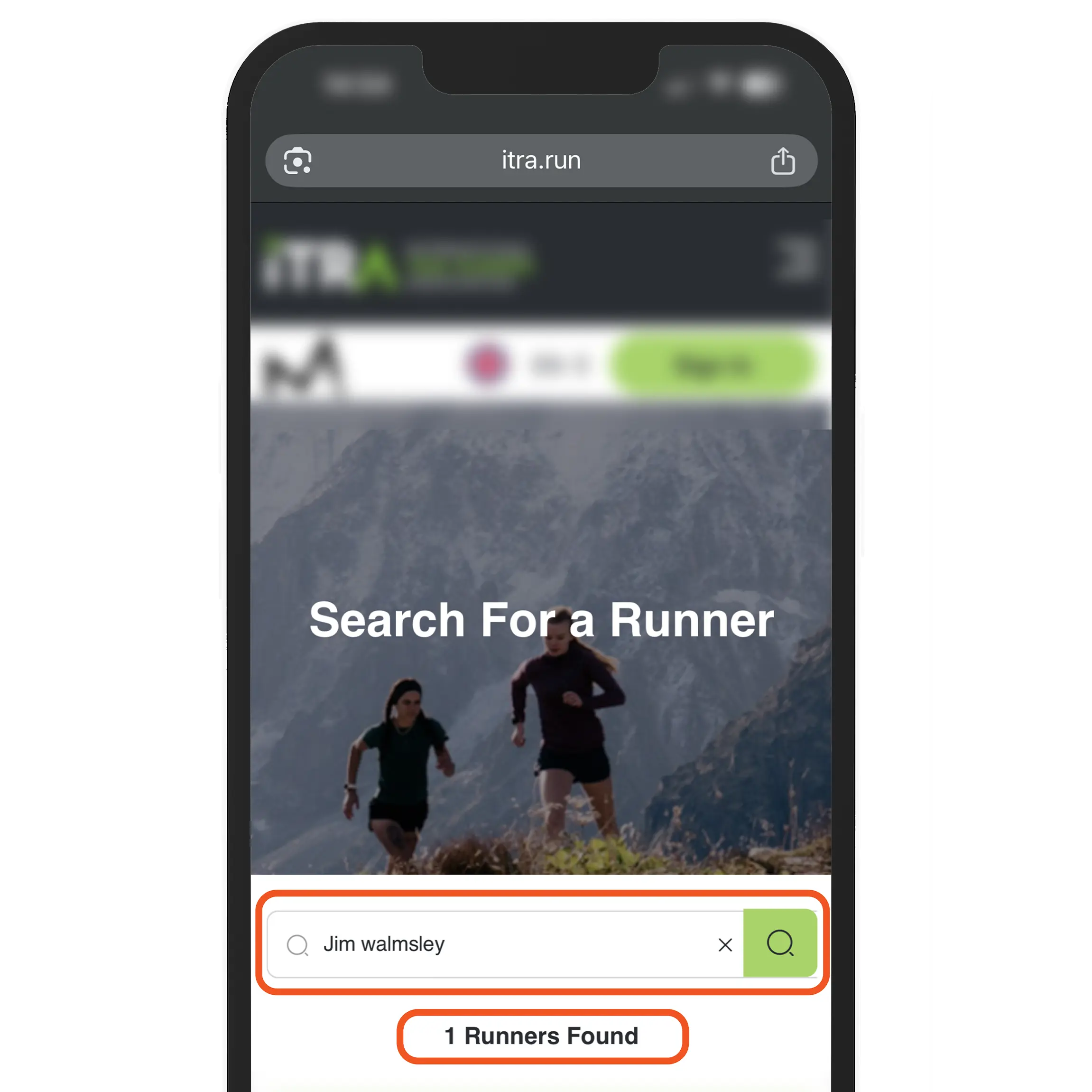
2️⃣ Search for your profile:
Enter your first and last name exactly as they appear in your race registrations or previous event results.
Then, click on your name from the list of results.
3️⃣ Locate your ITRA ID:
Once your profile opens, you’ll see your ITRA ID number displayed just below your profile photo.
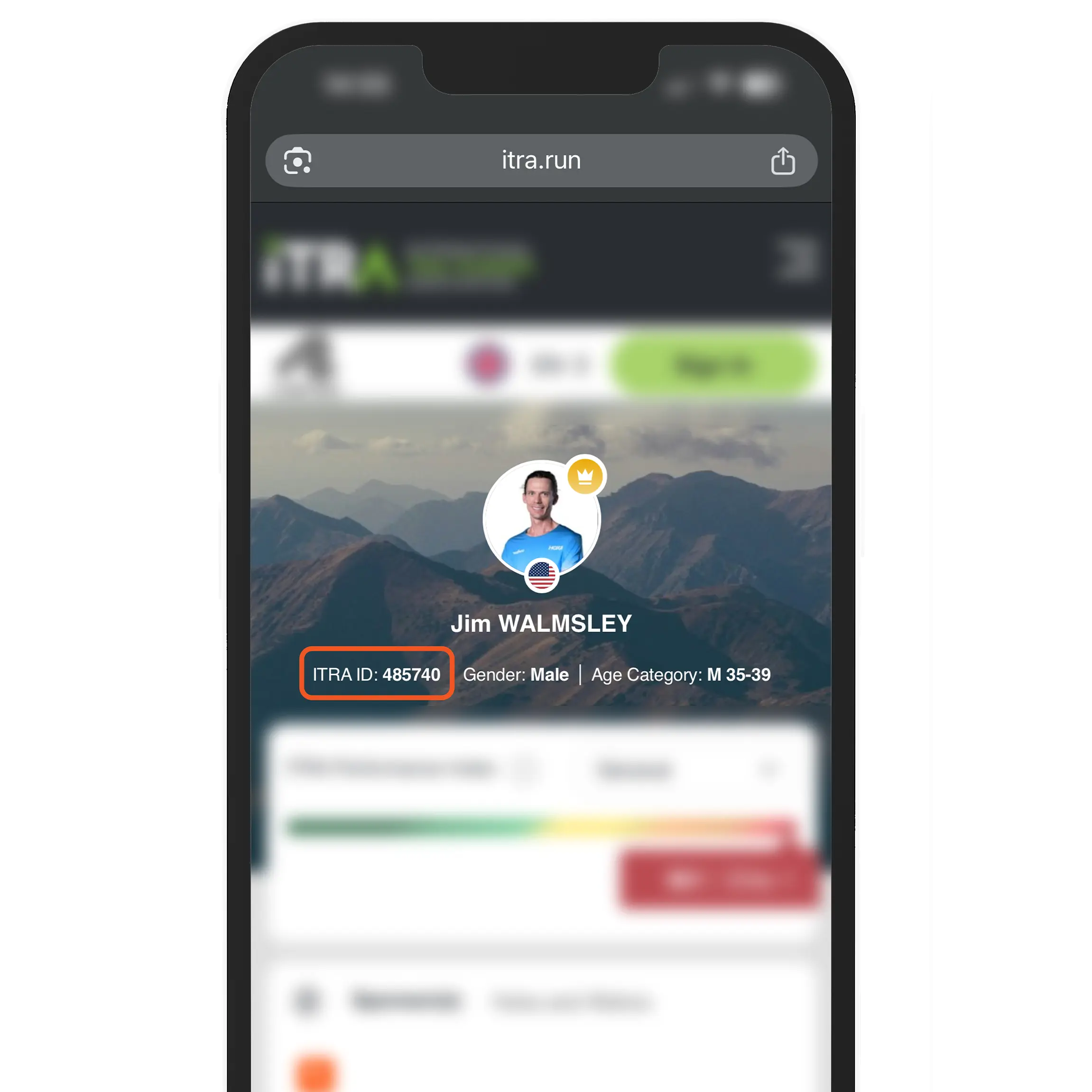
4️⃣ ID:
For example, if you search for Jim Walmsley, his ITRA ID is 485740.
💡 Tips
- If you don’t find your profile, make sure you’ve previously taken part in an ITRA-certified race.
- If you’ve never participated in one, you can still create an ITRA account and build your runner profile from there.
- Always use the same name format (accents, hyphens, etc.) across your registrations to keep your results correctly linked.
With your ITRA ID in hand, you’re now ready to complete your MIUT® registration and join one of the most iconic trail running adventures in the world 🌍🔥
⚠️ Important Reminder
Your ITRA ID is mandatory and must be valid for participation in the following MIUT® races:
- MIUT® LEGEND
- MIUT® ADVANCED
- MIUT® DISCOVER
Without a valid ITRA ID, your registration may be canceled.
For more details, please consult Point 3 of the Race Regulations available on the official MIUT® website.