

You have successfully registered for MIUT® — congratulations! 🎉
To complete your registration, all runners must now upload a valid medical certificate ( except MIUT STARTER participants ).
Below you’ll find a step-by-step guide to help you download, complete, and upload your medical certificate correctly.
📝 Step-by-Step Guide to Upload Your Medical Certificate
1️⃣ Access your MIUT registration area
Go to:
👉 https://www.rockthesport.com/en/event/miut
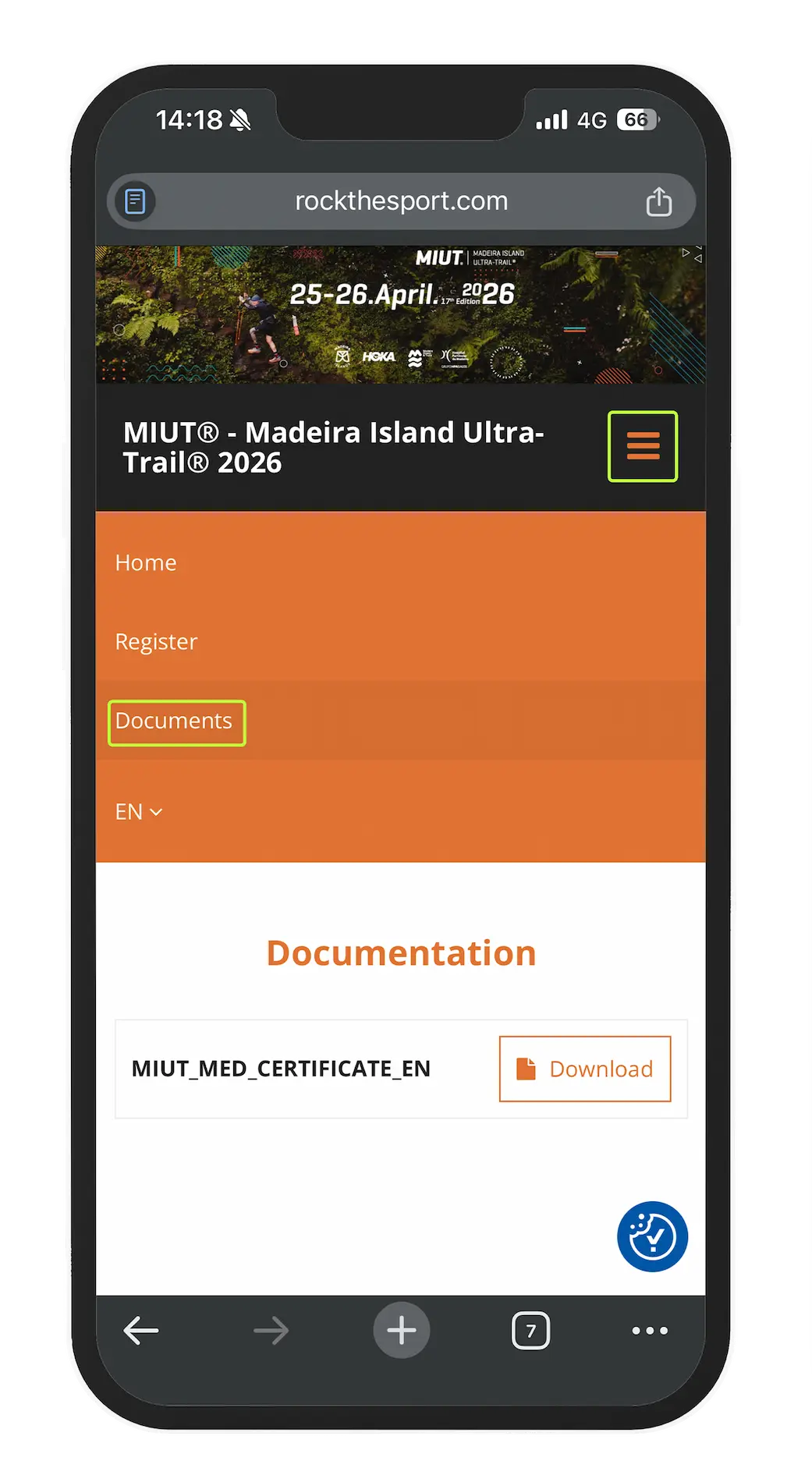
And click on “Documents” in the top menu.
2️⃣ Choose your language and download
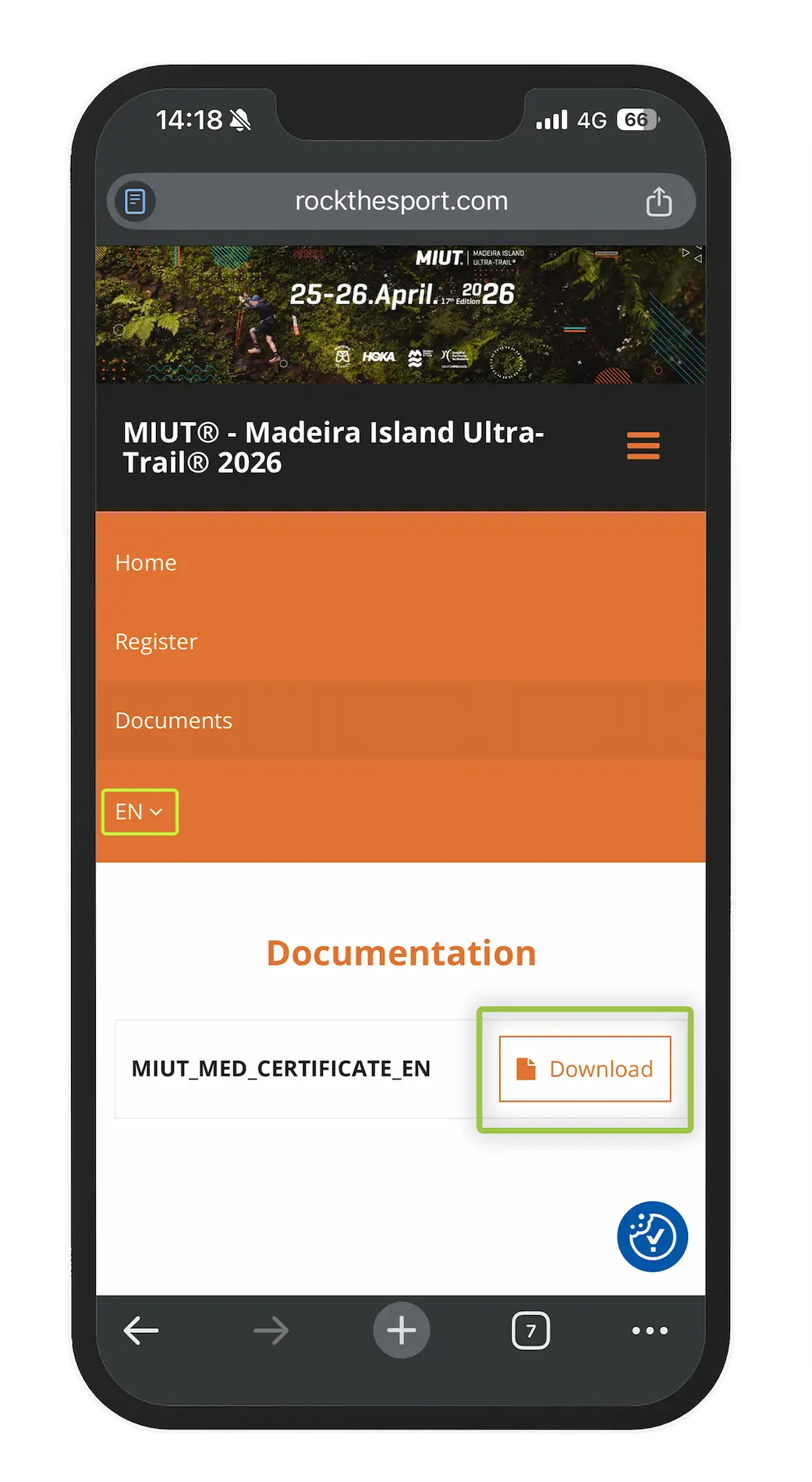
In the top-right corner, select your preferred language to download the medical certificate.
The document is available in English, French, and Portuguese.
3️⃣ Book a medical appointment
Schedule a check-up with your doctor or sports physician.
Make sure to explain the characteristics of the event and the distance you are registered for, so your doctor can confirm that your current health condition allows you to participate safely.
4️⃣ Return to your registration area
After your medical check-up and once the certificate has been signed by your doctor, log in to your private registration area using the identification number displayed next to the QR code on your registration PDF.
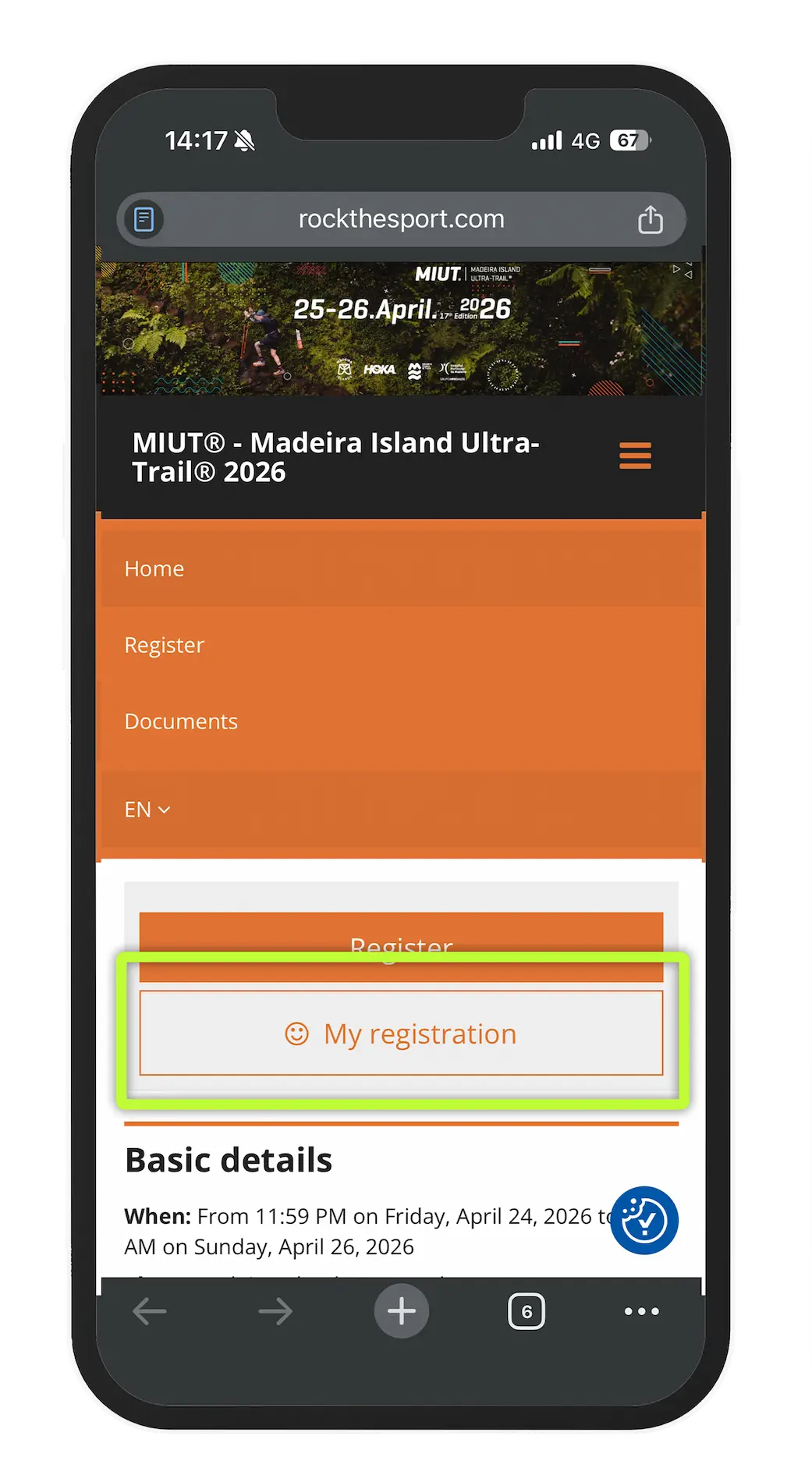
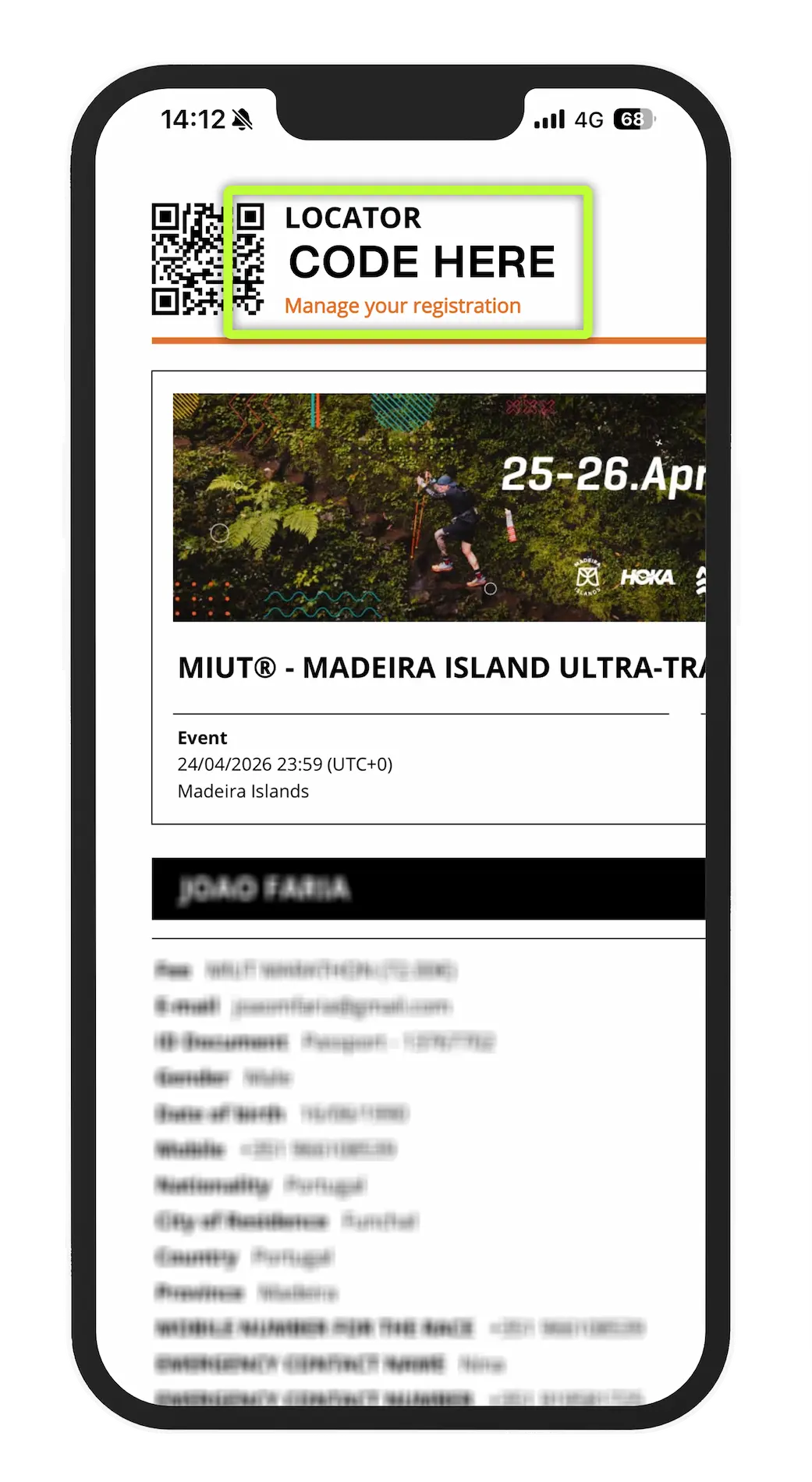
5️⃣ Access your registration details
In your private area, navigate to the following menu to edit your registration details:
➡️ Menu → Modify → Edit Data
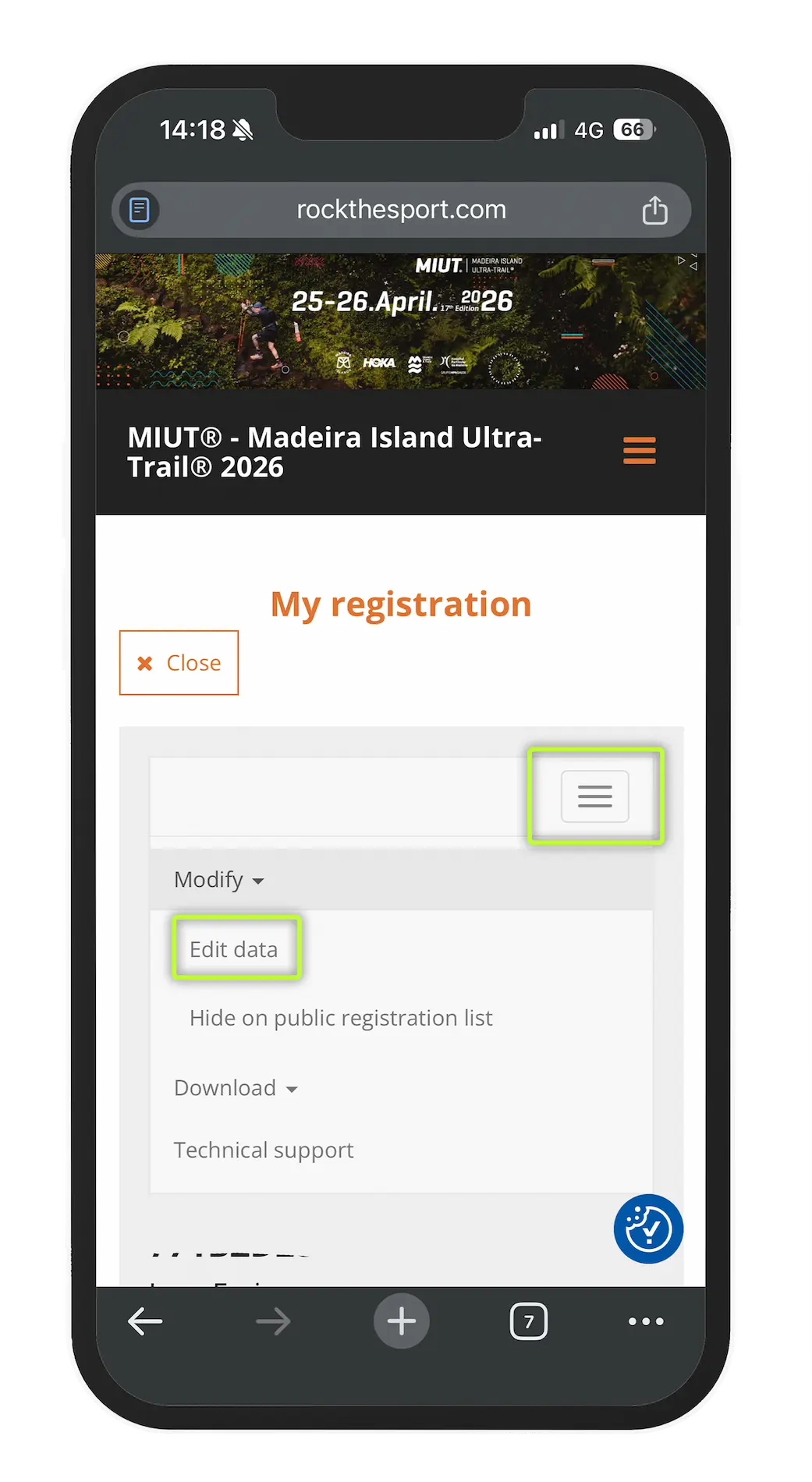
6️⃣ Upload and save your medical certificate
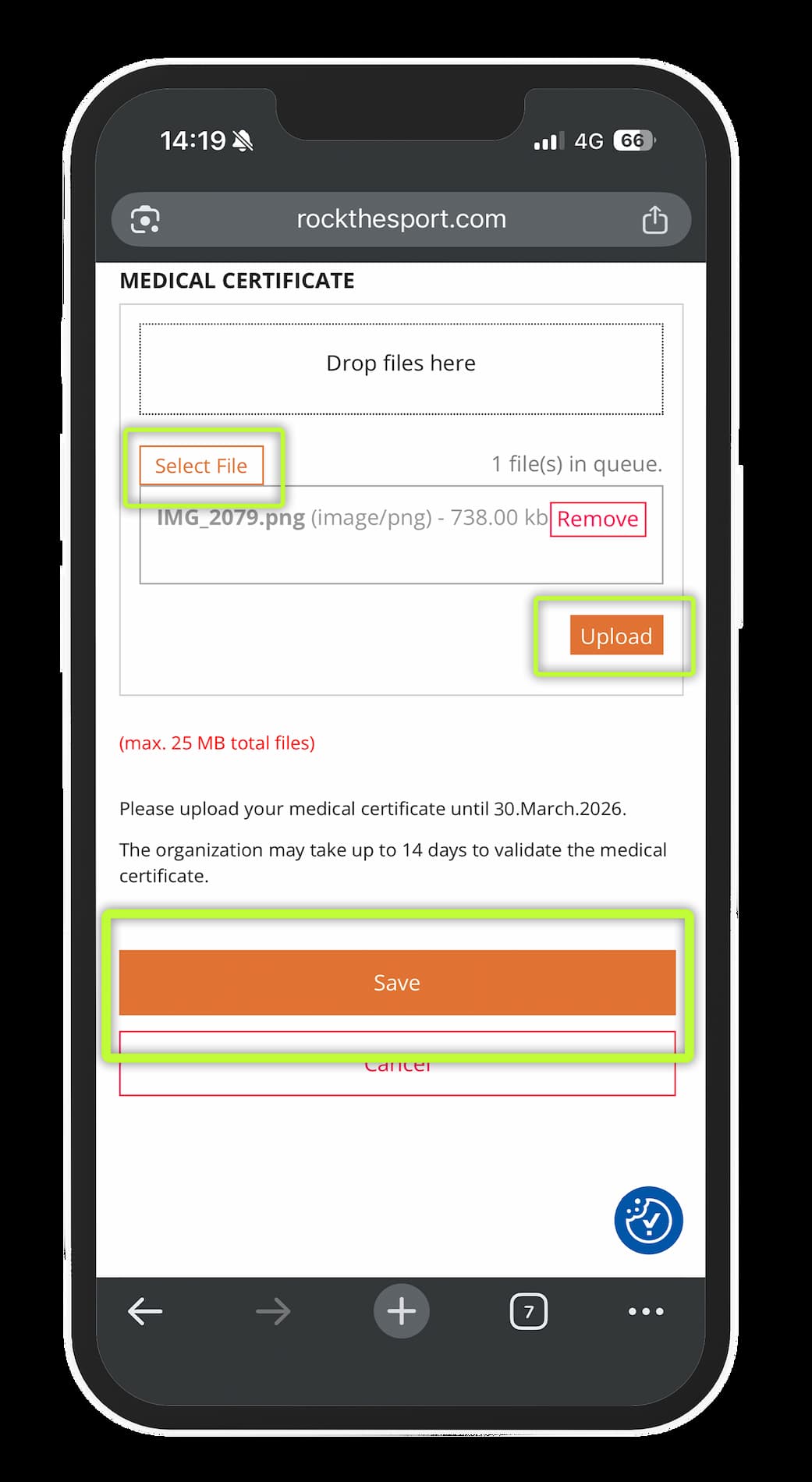
Scroll down until you find the option to upload your signed medical certificate.
✔️ Select the file
✔️ Click Upload
✔️ Don’t forget to click Save at the end
💡 Important Reminders
- You have until March 30 to upload your medical certificate.
Without it, your registration will not be valid, and you will not be able to complete check-in or receive your race bib.
- If you have uploaded your certificate and it is still awaiting validation after 14 days, please contact us at:
📧 [email protected]